 Feather Foot
For learner drivers
Drive like there’s an egg under the pedal.
Feather Foot turns a phone into a smoothness coach. A live green, yellow and red gauge shows how gently you pull away, brake and turn, and every drive ends with a score you can share.
No account, no ads, and no internet access: your drives never leave the phone.
Mount it, tap Start, drive.
Feather Foot is run by the supervising passenger. The learner just drives.
-
Mount the phone
Any firm dash or vent mount, at any angle. In the first few speed changes the app compares its motion sensors with GPS and works out which way is forward on its own.
-
Drive
Each start from a full stop, each stop, and each turn is rated green, yellow or red by its peak force. Two short beeps mean it went yellow; one long tone means red.
-
Read the report
Tap Stop when you park. You get a 0–100 score and a letter grade for starts, stops and turns, and the drive is saved to your history.
See it on the phone.
Real screens from a Pixel 7. Always dark, so it’s easy on the eyes in the car, even at night.
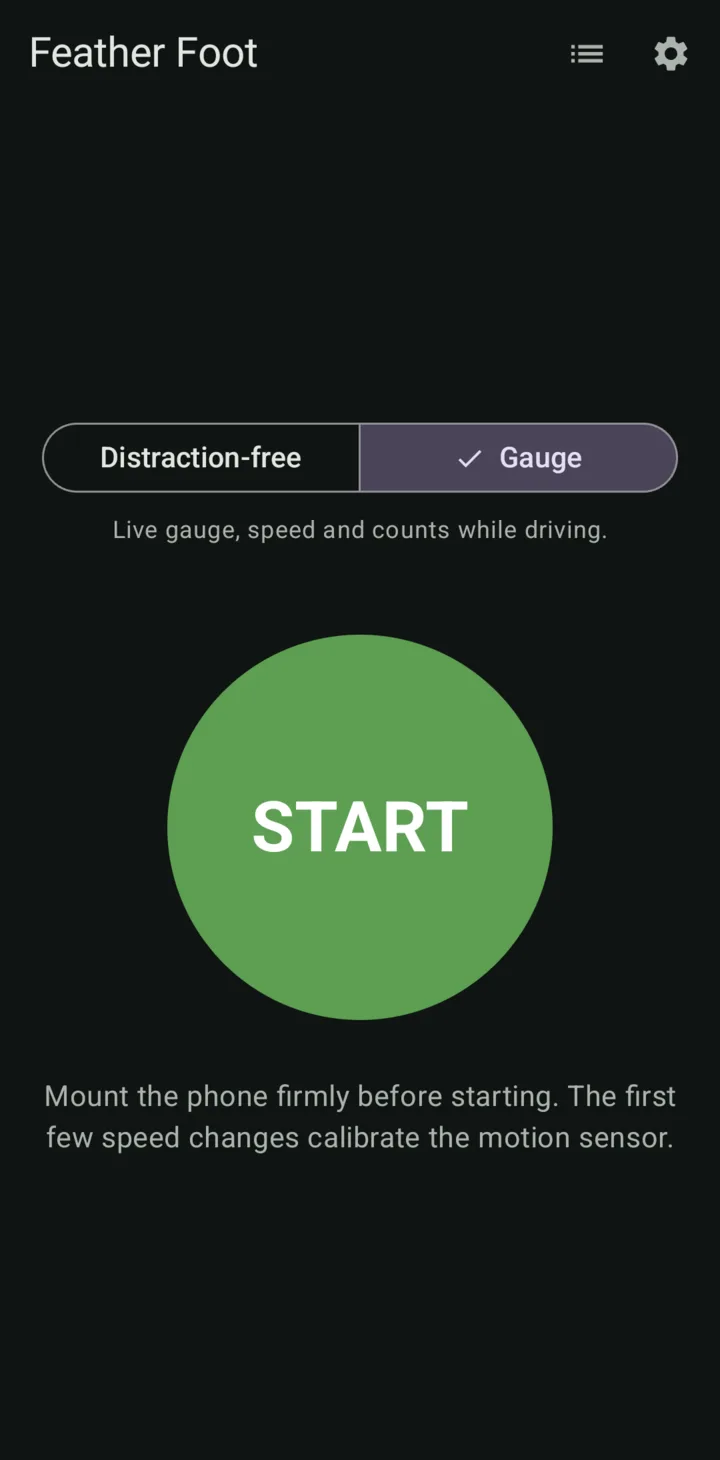
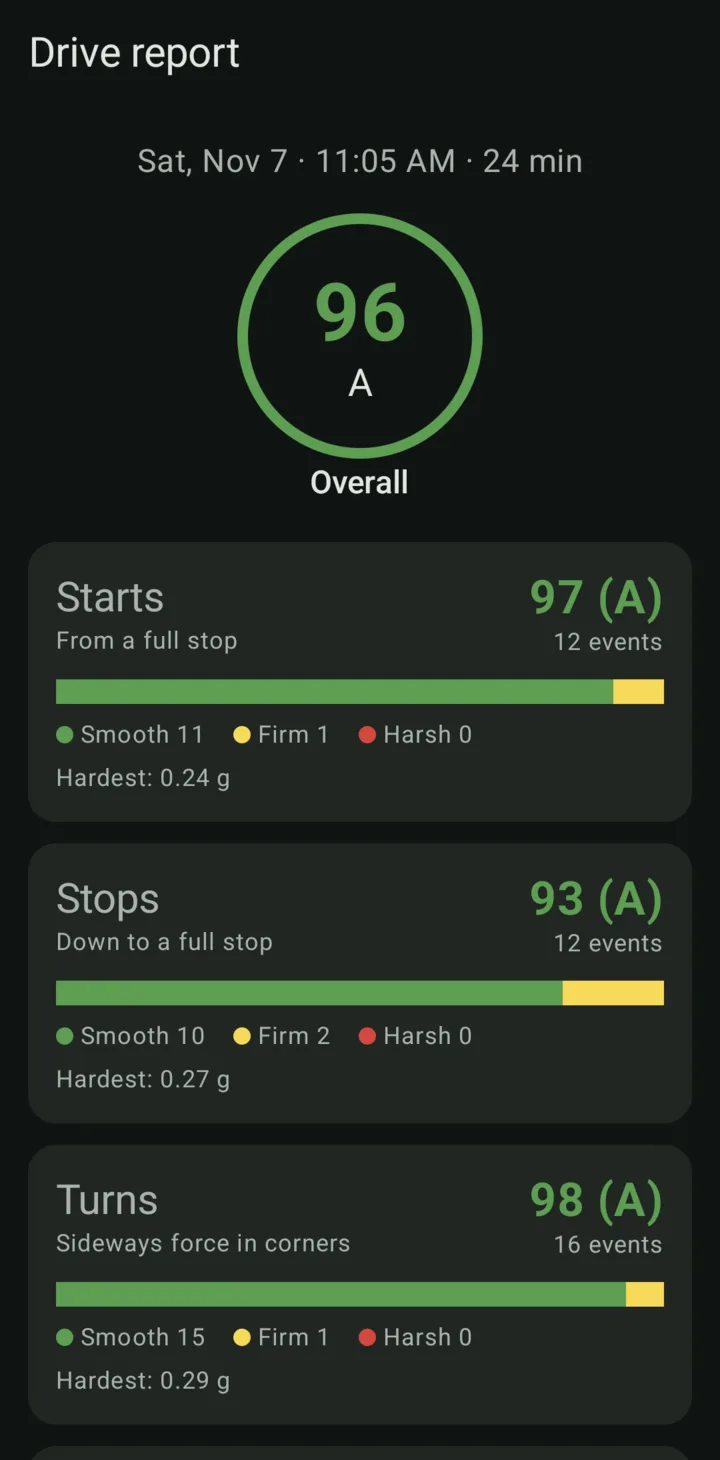
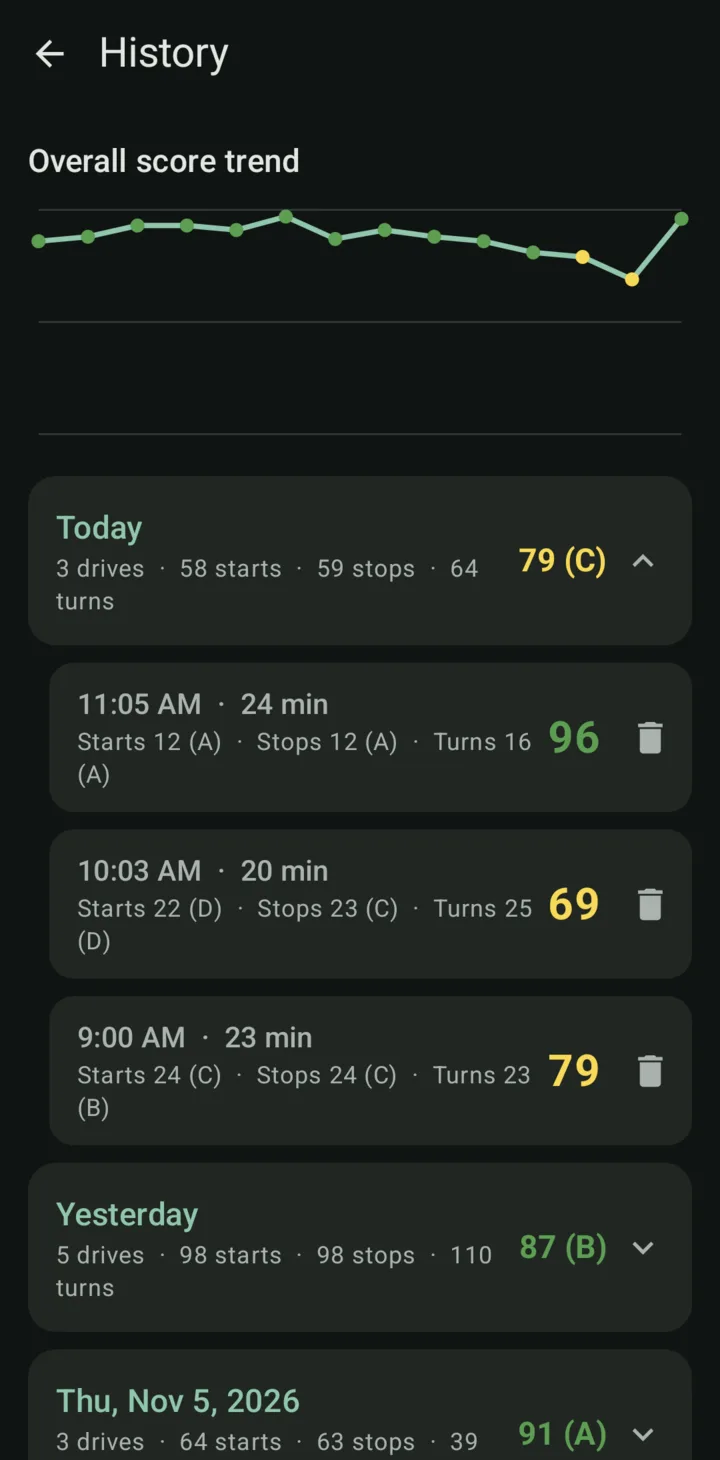
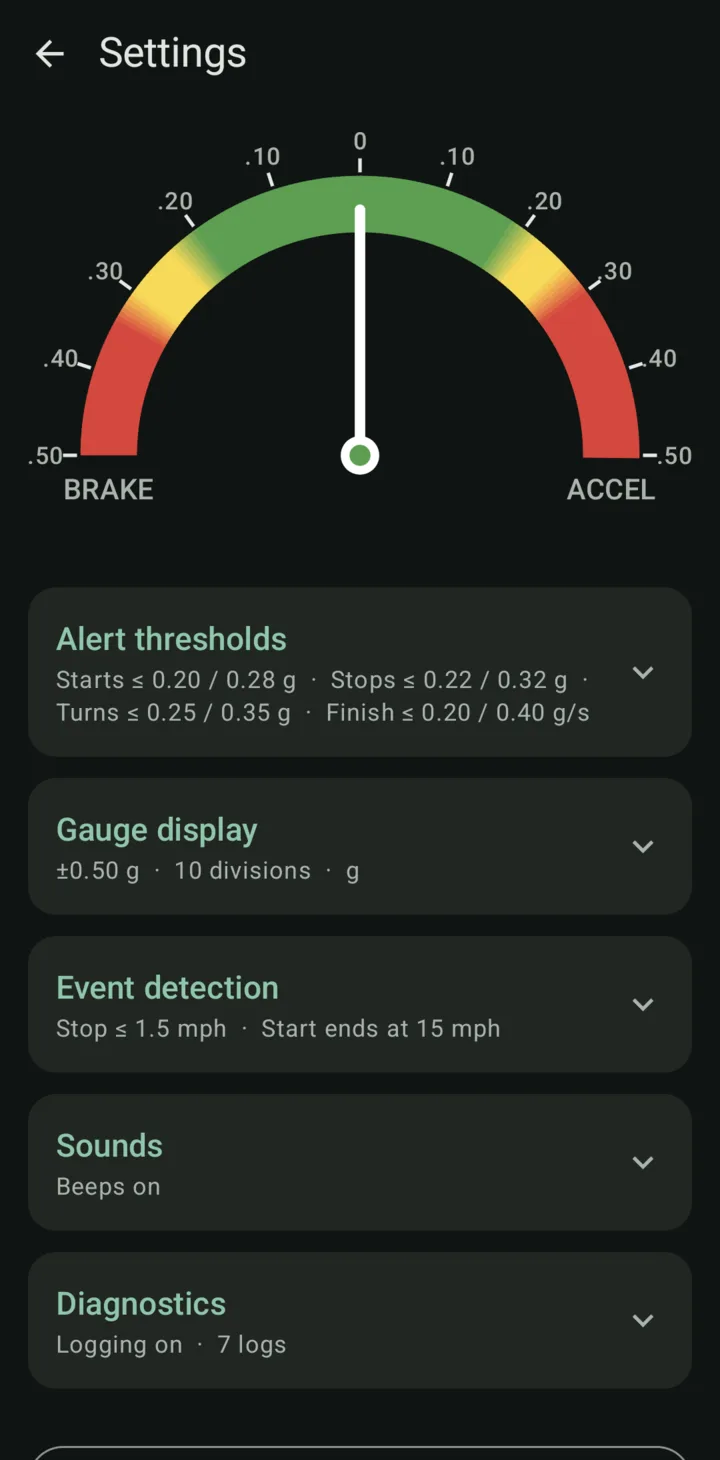
Everything a learner needs to hear, nothing to look at.
Built to keep eyes on the road, and the passenger in the loop.
Live gauge
Braking on the left, acceleration on the right, with a sideways bar for cornering. It shifts from green to yellow to red as forces rise.
Distraction-free mode
The default. While driving the screen shows only a big Stop button: no gauge, no speed, no counts. Warning tones still play.
Warning tones
Beeps fire the moment a launch, a brake or a turn crosses a band, not after the event is over, so the driver can ease off right away.
Stop-finish rating
Easing off the brake just before the car stops is smooth. Holding it until the car jerks to a halt is not. Feather Foot rates every finish.
History and trends
Every drive is saved on the phone, grouped by day, with a chart of scores over time. Tap any drive to see its report again.
Tunable thresholds
Adjust the color bands, gauge range, units (g, mph/s or m/s²) and detection speeds to suit your car. Reset to defaults any time.
A report you can text to the family.
When the drive ends, share a short summary through Messages, Signal, email or any app on the Android share sheet.
Each event earns 100 points for green, 60 for yellow and 0 for red. A type’s score is the average of its events, and the overall score covers every start, stop and turn. Stop finish is scored the same way but reported on its own.
- A 90+
- B 80+
- C 70+
- D 60+
- F under 60
Feather Foot drive report
Nov 7, 2026 11:05 AM · 24 min
Starts: 12 · score 97 (A) · 🟢11 🟡1 🔴0
Stops: 12 · score 93 (A) · 🟢10 🟡2 🔴0
Turns: 16 · score 98 (A) · 🟢15 🟡1 🔴0
Stop finish: score 85 (B) · 9 of 12 smooth
Overall: 96 (A)
Bands based on real-world standards.
The defaults follow common telematics and fleet-safety conventions. Insurer “hard brake” alerts, for example, usually trigger at about 7 mph/s.
| Event | Smooth | Firm | Harsh |
|---|---|---|---|
| Starts | ≤ 0.20 g≈ 4.4 mph/s | ≤ 0.28 g≈ 6.1 mph/s | > 0.28 g |
| Stops | ≤ 0.22 g≈ 4.8 mph/s | ≤ 0.32 g≈ 7.0 mph/s | > 0.32 g |
| Turns | ≤ 0.25 g≈ 5.5 mph/s | ≤ 0.35 g≈ 7.7 mph/s | > 0.35 g |
Rolling slow-downs, lane changes, gentle curves and creeping along in traffic under 8 mph don’t count. Every value can be changed in Settings.
Your drives stay on your phone.
Feather Foot doesn’t even ask for internet access.
- No accountNothing to sign up for and nothing to log in to.
- No trackingNo analytics, no ads, and no data sent anywhere. This website doesn’t use cookies either.
- You share itA report leaves the phone only when you choose to send it.
Get Feather Foot
Coming soon to Google Play and the App Store. Built and tested on a Google Pixel 7.
The supervising passenger should run the app, not the driver. Mount the phone securely and never use it while driving.
Getting started
- Install Feather Foot from Google Play or the App Store once it’s available.
- Put the phone in a firm dash or vent mount, not a cup holder or a pocket.
- Open Feather Foot, tap START, and allow Precise location (for speed) and Notifications.
- On Android, optionally set Settings › Apps › Feather Foot › App battery usage to Unrestricted so monitoring isn’t stopped in the background.